Understanding & Fixing PS5 Error Code (WS-116143-6)
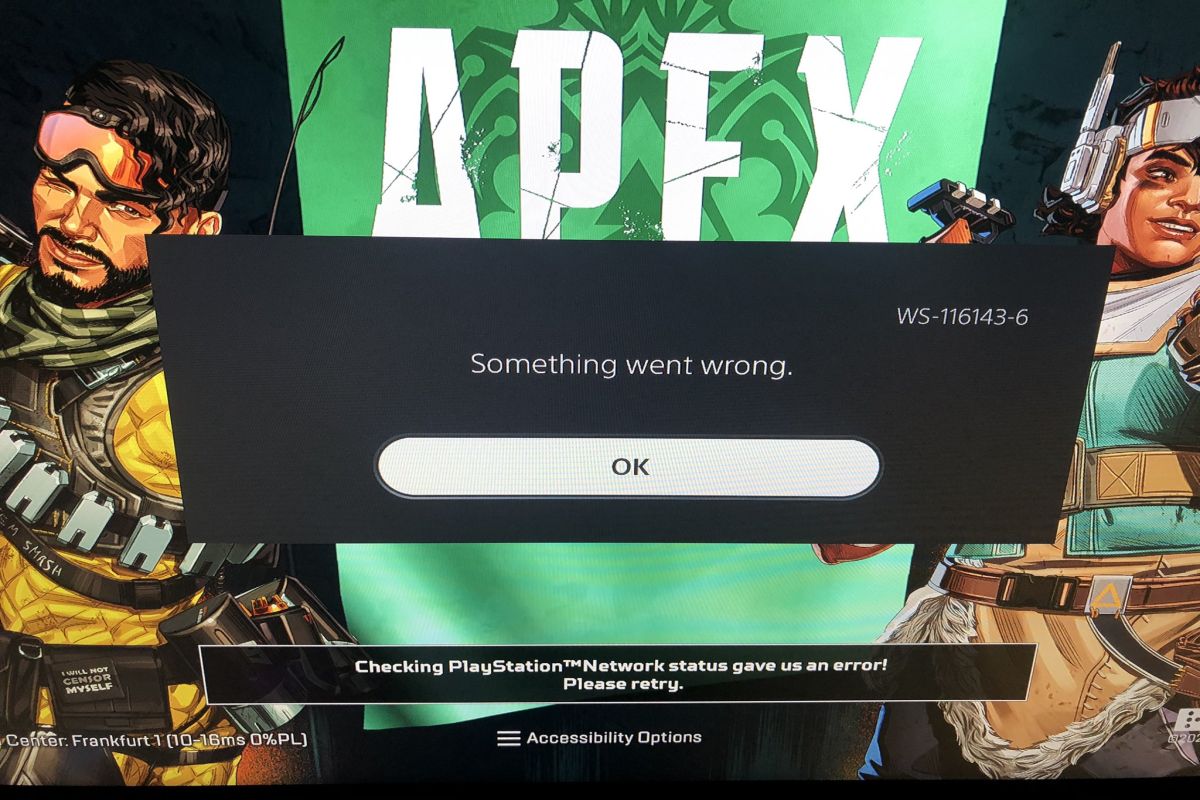
The PS5 Error Code (WS-116143-6) is an error that occurs when the PS5 is unable to verify the digital ownership of a game that requires an internet connection to play. This means that the PS5 cannot access the PlayStation Network (PSN) to confirm that the user has purchased or downloaded the game legally and has the right to play it. This error can prevent the user from launching or playing the game, or cause the game to crash or freeze during gameplay.
The Consequences Of PS5 Error Code (WS-116143-6)
The consequences of PS5 Error Code (WS-116143-6) can vary depending on the game and the situation. Some possible consequences are:
- The user cannot start or resume the game at all, and sees a message saying “Cannot start the game or app” or “Cannot continue using the game or app”.
- The user can start or resume the game, but sees a message saying “Cannot connect to the server” or “An error has occurred” after a few minutes or hours of gameplay.
- The user can start or resume the game, but experiences lagging, stuttering, freezing, or crashing issues during gameplay.
- The user loses their progress, save data, trophies, or achievements in the game due to the error.
Causes of PS5 Error Code (WS-116143-6)
There are several possible causes of PS5 Error Code (WS-116143-6), such as:
- The PSN is down or undergoing maintenance, which prevents the PS5 from connecting to it and verifying the digital ownership of the game.
- The user’s internet connection is unstable, slow, or interrupted, which affects the PS5’s ability to communicate with the PSN and verify the digital ownership of the game.
- The user’s router or modem is faulty, outdated, or incompatible with the PS5, which causes network issues and interferes with the PS5’s connection to the PSN and verification of the digital ownership of the game.
- The user’s firewall or antivirus software is blocking or restricting the PS5’s access to the PSN and verification of the digital ownership of the game.
- The user’s PSN account is suspended, banned, hacked, or compromised, which prevents the PS5 from authenticating and verifying the digital ownership of the game.
- The user’s game license is expired, corrupted, missing, or invalid, which prevents the PS5 from recognizing and verifying the digital ownership of the game.
How To Fix PS5 Error Code (WS-116143-6)
There are several possible solutions to fix PS5 Error Code (WS-116143-6), depending on the cause and severity of the error. Some possible solutions are:
| Solution | Description |
|---|---|
| Check PSN status | Visit https://status.playstation.com/ to see if there are any issues or maintenance affecting the PSN. If there are, wait until they are resolved before trying to play the game again. |
| Check internet connection | Test your internet connection speed and stability on your PS5 by going to Settings > Network > Connection Status > Test Internet Connection. If your connection is slow or unstable, try restarting your router or modem, moving your PS5 closer to your router or modem, using a wired connection instead of a wireless one, or contacting your internet service provider for assistance. |
| Update router firmware | Check if your router firmware is up to date by visiting your router manufacturer’s website or contacting their customer support. If there is a newer version available, download and install it on your router following their instructions. |
| Disable firewall/antivirus | Temporarily disable any firewall or antivirus software on your network devices that might be blocking or restricting your PS5’s access to the PSN and verification of the digital ownership of the game. If this solves the problem, add your PS5 as an exception or trusted device on your firewall or antivirus settings. |
| Restore licenses | Restore your game licenses on your PS5 by going to Settings > Users and Accounts > Other > Restore Licenses. This will refresh your game licenses and allow your PS5 to verify the digital ownership of the game. |
| Reinstall game | Delete and reinstall the game on your PS5 by going to Game Library > Installed > Options > Delete. Then, go to Game Library > Purchased or PlayStation Plus > Options > Download. This will remove any corrupted or missing game files and install a fresh copy of the game on your PS5. |
| Contact Sony support | If none of the above solutions work, contact Sony customer support by visiting https://www.playstation.com/en-us/support/contact-us/ or calling 1-800-345-7669. They will be able to assist you further and provide you with more information and guidance on how to fix the error. |
Conclusion
The PS5 Error Code (WS-116143-6) is an error that prevents the PS5 from verifying the digital ownership of a game that requires an internet connection to play. It can be caused by various factors, such as PSN issues, internet issues, router issues, firewall issues, account issues, or game license issues. It can have various consequences, such as preventing the user from playing the game, causing the game to crash or freeze, or losing the user’s progress or achievements in the game. It can be fixed by various solutions, such as checking PSN status, checking internet connection, updating router firmware, disabling firewall/antivirus, restoring licenses, reinstalling game, or contacting Sony support.
I hope this report helps you understand and resolve the PS5 Error Code (WS-116143-6). If you have any questions or feedback, please let me know.