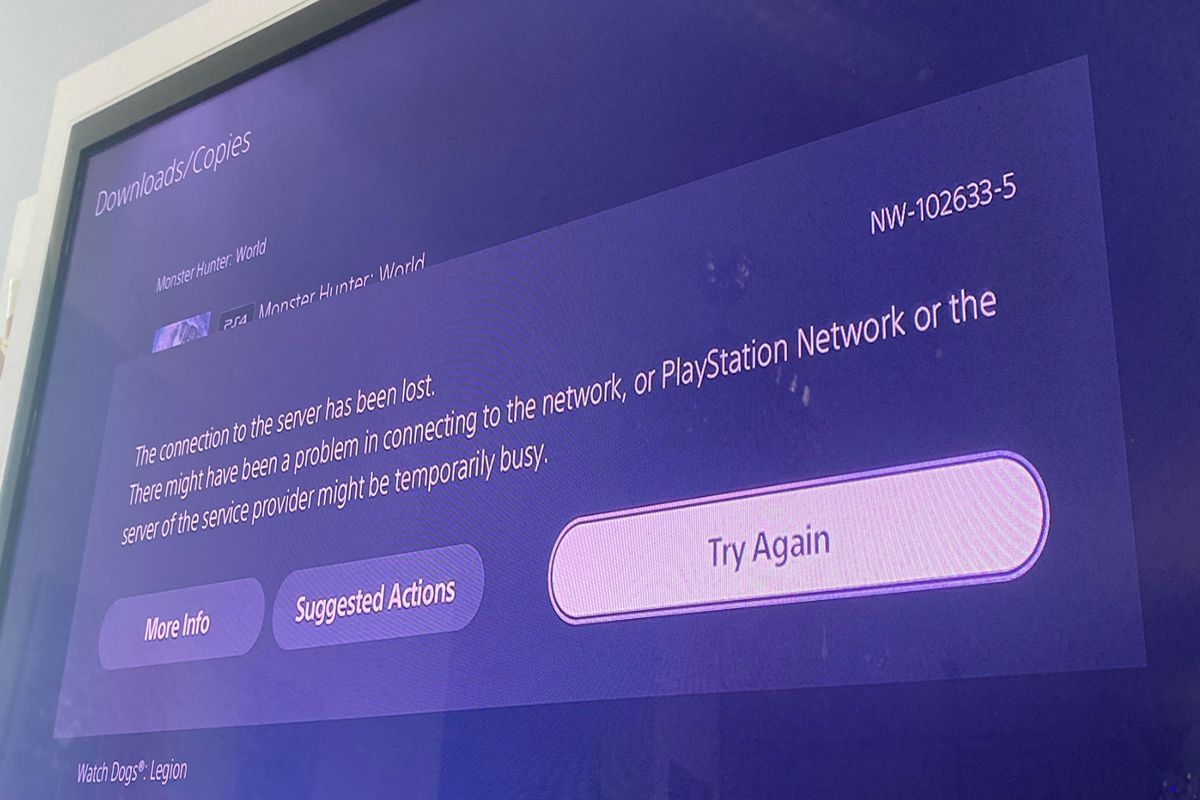
Understanding & Fixing PS5 Error Code (NW-102633-5)
PS5 Error code NW-102633-5 has become a common concern for gamers, causing disruptions to their gaming experience.
In this report, I will explain what this error code means, what are its consequences, what are its possible causes, and how to fix it.
2. PS5 Error Code (nw-102633-5) Meaning
The PS5 Error Code (nw-102633-5) means that the console is unable to connect to the server. This error may prevent the user from accessing online features or services that require an internet connection, such as playing online games, downloading updates or content, streaming media, or using social features.
3. The Consequences Of PS5 Error Code (nw-102633-5)
The consequences of PS5 Error Code (nw-102633-5) depend on the type and severity of the server issue that causes it. Some possible consequences are:
- The user may not be able to play online games with other players or join parties or chat sessions.
- The user may not be able to download or install updates or content for their games or apps.
- The user may not be able to access streaming services such as Netflix, YouTube, or PlayStation Now.
- The user may not be able to use social features such as sharing screenshots or videos, sending messages, or viewing trophies or profiles.
- The user may not be able to access their cloud saves or sync their data across devices.
- The user may not be able to log in to their PlayStation Network account or access their digital purchases or subscriptions.
4. Causes of PS5 Error Code (nw-102633-5)
There are several possible causes of PS5 Error Code (nw-102633-5), which can be categorized into two types: server-side and client-side.
Server-side causes are related to the status and performance of the servers that provide online services or features for the PS5. These include:
| Server-side cause | Explanation |
|---|---|
| Server maintenance | The servers may be temporarily unavailable due to scheduled or unscheduled maintenance or updates. |
| Server outage | The servers may be down due to technical issues, high traffic, cyberattacks, natural disasters, or other factors. |
| Server restriction | The servers may be inaccessible due to regional or legal restrictions, such as geo-blocking, censorship, or sanctions. |
Client-side causes are related to the status and performance of the user’s device and network that connect to the servers. These include:
| Client-side cause | Explanation |
|---|---|
| Network settings | The network settings of the PS5 or the router may be incorrect or incompatible with the servers. |
| Network connection | The network connection of the PS5 may be unstable, slow, interrupted, or blocked by firewalls or proxies. |
| Network hardware | The network hardware of the PS5 or the router may be faulty, outdated, or incompatible with the servers. |
| System software | The system software of the PS5 may be outdated, corrupted, or infected by malware. |
| Account information | The account information of the user may be incorrect, expired, suspended, or banned by the servers. |
5. How To Fix PS5 Error Code (nw-102633-5)
The fix for PS5 Error Code (nw-102633-5) depends on the cause of the error. Some possible fixes are:
| Fix | Explanation |
|---|---|
| Check server status | The user should check the official PlayStation Network Service Status website or the official PlayStation Twitter account to see if there are any server issues or maintenance that may affect their online services or features. |
| Restart PS5 | The user should restart their PS5 by holding down the power button for at least three seconds until it beeps twice, then unplugging it from the power source for at least 30 seconds, then plugging it back in and turning it on. This may clear any temporary glitches or cache that may interfere with the server connection. |
| Update system software | The user should update their PS5 system software to the latest version by going to Settings > System > System Software > System Software Update and Settings > Update System Software. This may fix any bugs or compatibility issues that may affect the server connection. |
| Configure network settings | The user should configure their network settings to match the requirements of the servers by going to Settings > Network > Settings > Set Up Internet Connection. They should choose a wired connection over a wireless one if possible, and use automatic settings for IP address, DNS, MTU, and proxy. They should also test their internet connection by going to Settings > Network > Connection Status > Test Internet Connection. |
| Troubleshoot network connection | The user should troubleshoot their network connection by checking their internet speed and stability, resetting their router or modem, moving their PS5 closer to their router or removing any obstacles that may interfere with the signal, or contacting their internet service provider for assistance. |
| Troubleshoot network hardware | The user should troubleshoot their network hardware by checking their cables, ports, adapters, and routers for any damage, wear, or compatibility issues. They should also try using different devices or networks to see if the problem persists. |
| Verify account information | The user should verify their account information by logging in to their PlayStation Network account on a web browser or another device and checking their email, password, subscription status, and security settings. They should also check if they have any messages or notifications from PlayStation regarding their account status or activity. |
6. Conclusion
In conclusion, PS5 Error Code (nw-102633-5) is an error that indicates that the console is unable to connect to the server. It may prevent the user from accessing online services or features that require an internet connection. It may be caused by server-side or client-side issues that affect the server status or performance, or the device or network status or performance. It may be fixed by checking the server status, restarting the PS5, updating the system software, configuring the network settings, troubleshooting the network connection or hardware, or verifying the account information.
I hope this report has been helpful and informative. If you have any questions or feedback, please let me know.


